 Back to Articles listing
SolidWorks vs NX: Key Differences Every Engineer Should Know
- July 30, 2026
- 3 Min
- By - MiT
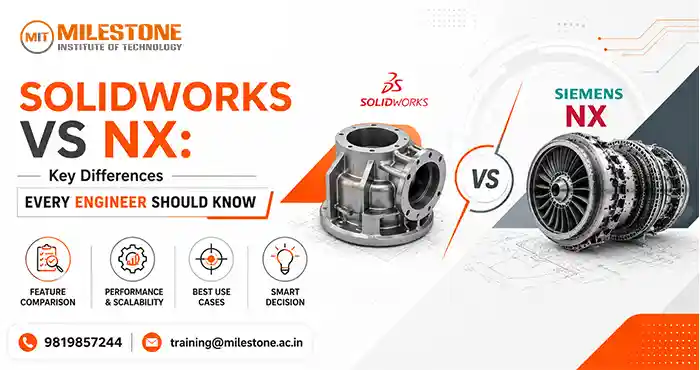
Choosing the right CAD software is a critical decision for engineers, designers, and manufacturers.
While SolidWorks vs NX are among the most debated designs on the market, it remains one of the most popular debates among engineers regarding the software. Both products are well-known for their powerful design tools, advanced engineering features, and extensive use across industries.
But to decide between the two is not about determining which is best for everyone. It is about understanding their strengths, application, and suitability for specific engineering needs. SolidWorks is known for its user-friendly interface and speedy product design, but NX is known for its sophisticated engineering projects and advanced manufacturing processes.
In this comparison guide, we will discuss the differences between SolidWorks and NX, discuss the features, applications, advantages, and limitations of both products, and help you determine which software is best suited for your career goal and project needs.
What is SolidWorks?
SolidWorks is a 3D CAD software by Dassault Systèmes. Since its introduction, it has been one of the most commonly used mechanical design software.
SolidWorks is a set of tools for engineers to design 3D models, assemblies, technical drawings, simulations, and manufacturing documentation. This program is used by designers, manufacturing companies, start-ups, and education institutions due to its ease of use and design workflow.Key Features of SolidWorks
- Parametric 3D modeling
- Assembly design
- Sheet metal design tools
- Weldment design
- Motion simulation
- Finite Element Analysis (FEA)
- Rendering and visualization
- Manufacturing integration
- Technical documentation tools

What is NX?
NX is an industry-leading software for CAD, CAM, and CAE applications from Siemens Digital Industries Software. NX has been used by leading aerospace, automotive, industrial equipment, and manufacturing companies around the world.
NX is a complete product development platform that allows designers, engineers, manufacturers, and product lifecycle managers to work together on a single product.
This high-performance, highly versatile tool is ideal for large-scale design projects using intricate surfaces or demanding manufacturing requirements.Key Features of NX
- Advanced 3D modeling
- Freeform and surface design
- Integrated CAM solutions
- Product lifecycle management integration
- Advanced simulation tools
- Generative design capabilities
- Digital twin technology
- Large assembly management
- Multi-disciplinary engineering support
SolidWorks vs NX: Quick Comparison Table
| Feature | SolidWorks | NX |
| Developer | Dassault Systèmes | Siemens |
| Primary Use | Product Design | Product Development & Manufacturing |
| Learning Curve | Easy to Moderate | Moderate to Advanced |
| User Interface | Beginner-Friendly | Professional & Advanced |
| Surface Modeling | Good | Highly Advanced |
| Simulation | Strong | Advanced Enterprise-Level |
| CAM Integration | Available | Fully Integrated |
| Large Assembly Handling | Good | Excellent |
| Cost | Lower | Higher |
| Typical Industries | Manufacturing, Product Design | Aerospace, Automotive, Defense |
SolidWorks vs NX: User Interface and Ease of Use
One of the biggest differences between SolidWorks vs NX is the user interface.
SolidWorks is designed to help users become productive quickly. It has an intuitive user interface, organized toolbars, and easy workflows. SolidWorks is easier for beginners and students because it is simple to use and offers a lot of learning resources.
NX offers a highly customized environment with advanced tools and engineering capabilities. Although it may take more training in the beginning, experienced engineers will appreciate the flexibility and depth it provides when working on complex projects.Key Takeaway
In the SolidWorks vs NX comparison, SolidWorks is generally preferred for its ease of learning, while NX is valued for its advanced functionality and customization options.SolidWorks vs NX: 3D Modeling Capabilities
Both platforms excel in 3D modeling but serve slightly different purposes.SolidWorks focuses on efficient parametric modeling and is widely used for:
- Machine components
- Consumer products
- Industrial equipment
- Mechanical assemblies
- Manufacturing parts
NX offers advanced modeling tools capable of handling:
- Aerospace components
- Automotive structures
- Complex industrial products
- Freeform surfaces
- Highly detailed engineering designs
Key Takeaway
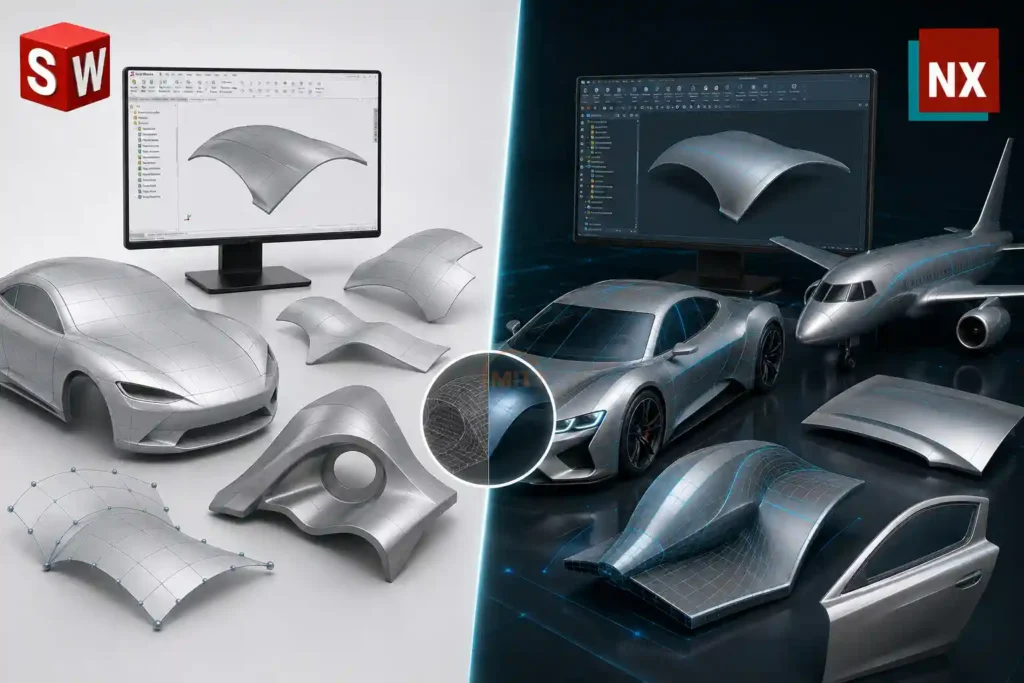
For SolidWorks vs NX, both of these software packages offer powerful modeling tools. SolidWorks is used for general design tasks, while NX is used for very sophisticated engineering tasks.SolidWorks vs NX: Surface Modeling
Surface modeling plays a key role in industries such as automotive, aerospace, and industrial design.
SolidWorks contains surface design tools that allow users to create smooth, functional product surfaces for many engineering projects.
NX is the cutting edge in surfacing technologies and is used to create aerodynamic shapes, car body panels, and a wide variety of industrial designs.Key Takeaway
In SolidWorks vs NX comparison, both provide surface modeling. But, NX provides more capabilities for creating detailed and complex surfaces.
SolidWorks vs NX: Simulation and Analysis
Modern engineering relies heavily on simulation to reduce development costs and improve product quality.SolidWorks includes simulation tools that support:
- Stress analysis
- Motion analysis
- Thermal studies
- Fatigue testing
NX provides advanced engineering analysis capabilities, including:
- Structural simulation
- Multiphysics analysis
- Computational fluid dynamics
- Advanced optimization
Key Takeaway
Both platforms provide excellent solutions for engineering validation. SolidWorks allows for great simulation of many design projects, while NX provides more analytical tools for very challenging engineering applications.SolidWorks vs NX: Manufacturing and CAM Integration
Manufacturing integration is another important factor to consider when comparing SolidWorks vs NX.
SolidWorks supports manufacturing workflows through CAM integrations and third party solutions, supporting the user from design to production.
NX provides a fully integrated CAM environment, allowing users to create machining strategies, improve toolpaths, and manage production processes from one platform.Key Takeaway
The choice between SolidWorks vs NX is dependent on what kind of manufacturing you have in mind. SolidWorks is an ideal solution for many manufacturing environments, but NX provides a more comprehensive manufacturing environment.SolidWorks vs NX: Large Assembly Performance
As products become more complex, CAD software should be able to manage thousands of components.
SolidWorks is a versatile tool for making small and medium-sized assemblies. The software is ideal for use in industries where complexity of the product is manageable.
NX is built for very large assemblies and product development projects.Key Takeaway
Both platforms can handle assemblies without issue. But, NX provides additional advantages for companies dealing with complex products containing thousands of components.SolidWorks vs NX: Industry Applications
Understanding industry adoption helps clarify the practical use of both software platforms.Industries Using SolidWorks
- Product Design
- Manufacturing
- Industrial Equipment
- Consumer Goods
- Automation
- Education
Industries Using NX
- Aerospace
- Automotive
- Defense
- Shipbuilding
- Heavy Machinery
- Advanced Manufacturing
Key Takeaway
In the SolidWorks vs NX discussion, the industry requirements often determine the software selection. Both applications are trusted by engineering groups around the world.SolidWorks vs NX: Cost and Investment
Budget considerations often impact the software decisions.SolidWorks is generally less expensive to buy and is more accessible to startups, educational institutions, and small- to medium-size businesses.
NX represents a larger investment in terms of enterprise capabilities and engineering solutions.Key Takeaway
The right choice depends on the specifics of the organization’s needs. Businesses should evaluate the value of software according to the complexity of their projects, their team size, and their long-term engineering needs.SolidWorks vs NX: Career Opportunities
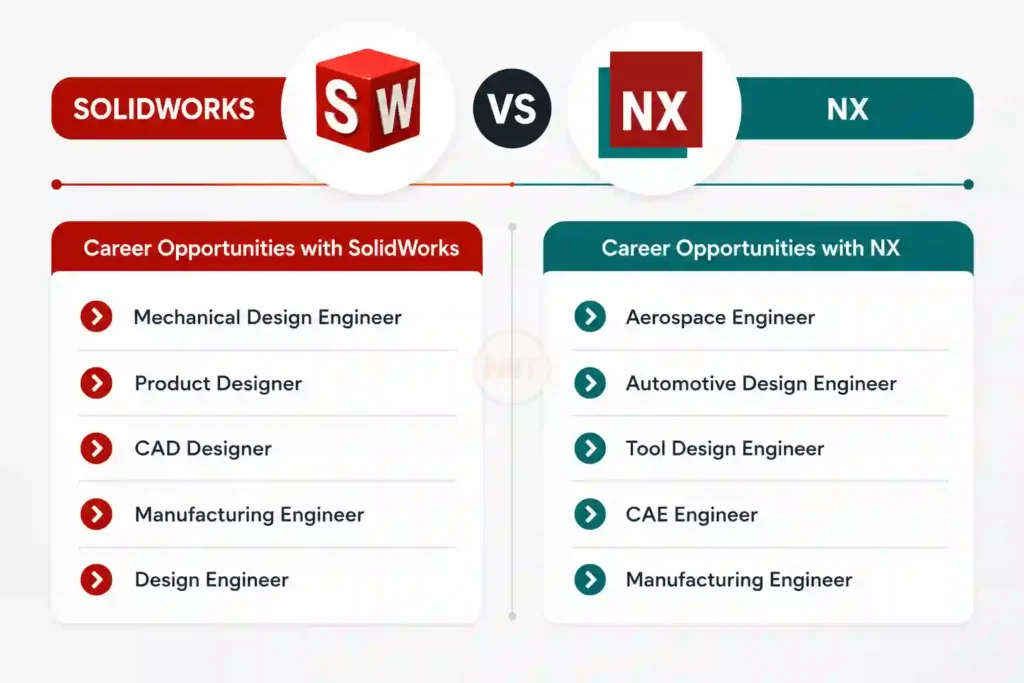
Learning either software can create strong career opportunities in engineering and manufacturing.Career Opportunities with SolidWorks
- Mechanical Design Engineer
- Product Designer
- CAD Designer
- Manufacturing Engineer
- Design Engineer
Career Opportunities with NX
- Aerospace Engineer
- Automotive Design Engineer
- Tool Design Engineer
- CAE Engineer
- Manufacturing Engineer
SolidWorks vs NX: Advantages and Limitations
SolidWorks Advantages
- Easy to learn
- Strong user community
- Cost-effective
- Excellent product design tools
- Widely used in education
SolidWorks Limitations
- Less advanced surfacing compared to NX
- Limited enterprise-level manufacturing features
- Large assemblies may require optimization
NX Advantages
- Advanced engineering capabilities
- Powerful CAM integration
- Excellent surface modeling
- Enterprise-scale performance
- Comprehensive product development environment
NX Limitations
- Steeper learning curve
- Higher implementation costs
- Requires specialized training
Which Software Should You Choose?
The answer to the SolidWorks vs NX debate depends entirely on your goals.Choose SolidWorks if:
- You are a student or beginner.
- You work on product design projects.
- You need an accessible and efficient CAD platform.
- Your projects involve moderate complexity.
Choose NX if:
- You work in aerospace or automotive industries.
- You manage highly complex engineering projects.
- Advanced simulation and manufacturing capabilities are important.
- Your organization requires enterprise-level engineering solutions.
Where Can You Learn SolidWorks and NX?
Professional training is vital to mastering modern CAD software. Schools such as Milestone Institute of Technology offer students practical training in mechanical design software and help them practice working with industry-standard tools such as SolidWorks and NX.
Training on these platforms can increase technical expertise, make someone more employable, and prepare young engineers for real-world design challenges.Conclusion
SolidWorks vs NX is not about picking a winner. Both are powerful engineering software applications that are tailored to specific needs and industries.
SolidWorks is characterized by its ease-of-use, product design workflow, and accessibility, making it an ideal tool for students, designers, and manufacturing professionals. NX has advanced engineering, simulation, and manufacturing capabilities that support some of the most complex product development projects around the globe.
When evaluating SolidWorks vs NX, think about your project, expectations, learning goals, and long-term career objectives. Engineers who fully understand the strengths of both tools are better prepared for success in the increasingly competitive world of engineering.
Frequently Asked Questions (FAQs)
1. What’s the difference between SolidWorks and NX?
SolidWorks focuses on user-friendly product design and mechanical engineering processes, while NX provides advanced CAD, CAM, and CAE capabilities for engineering projects.2. Is NX better than SolidWorks?
- Neither is better, but the decision will vary with the complexity of the project, the industry, and the organization’s needs.
3. What software is easier to learn, SolidWorks or NX?
- In general, SolidWorks is easier for beginners because of its intuitive interface and shorter learning curve.
4. Which industries use NX?
- NX is used in aerospace, automotive, defense, shipbuilding, and advanced manufacturing.
5. Should students learning engineering learn SolidWorks or NX?
- Both are valuable. I would recommend SolidWorks for first-time users, and NX can open up additional opportunities in other engineering disciplines.
Share this on
-

-

-

Recent Articles
-
CATIA Surface Modeling: Design Complex 3D Shapes with Ease
-
What Should You Know Before Choosing CAD Design Jobs?
-

Top Civil CAD Courses for Engineering, Design & BIM Careers
-

Navisworks Course Training: Fees, Syllabus & Certification
Archive posts
-
October2026
-
September2026
-
August2026
-
July2026
-
June2026
-
May2026
-
April2026
-
March2026
-
February2026
-
January2026
-
December2025
-
November2025
-
October2025
-
September2025
-
August2025
-
July2025
-
June2025
-
May2025
-
April2025
-
March2025
-
January2025
-
September2024
-
August2024
-
July2024
-
June2024
-
May2024
-
April2024
-
March2024
-
February2024
-
January2024
-
September2023
-
December2022
-
September2022
